Free Mac app for LinkedIn
Post every day. Never stare at a blank page again.
Shipday builds a LinkedIn strategy for your goal, then gives you daily ideas, proven copywriting tactics, a live feed preview and a streak worth protecting. Get the download link by email and ship your first post today.
- Free
- No account
- Private AI coach
- macOS 14+
The download link comes in the welcome email. Unsubscribe anytime.

Why Shipday
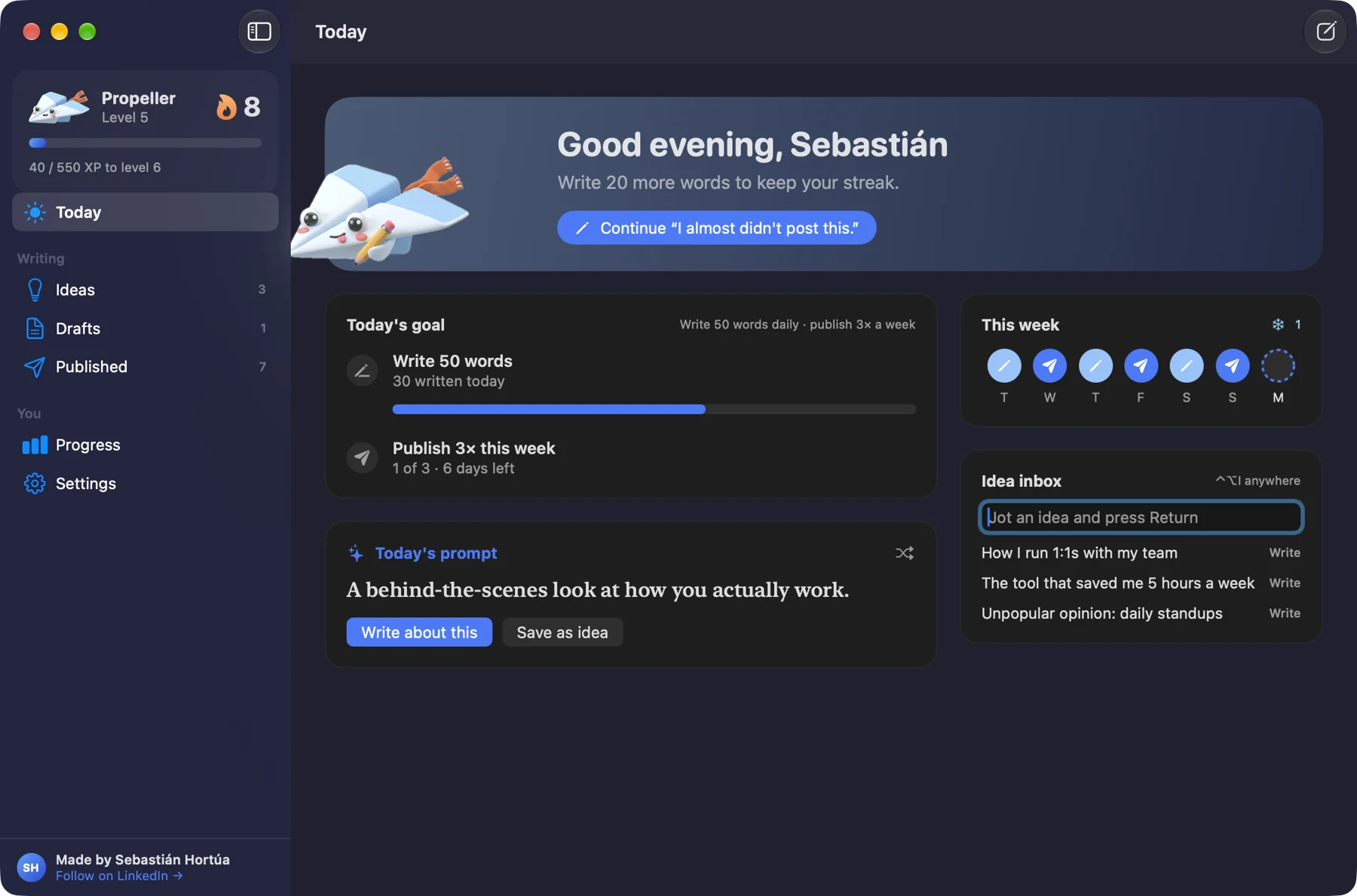
Most people quit posting after a week. Shipday keeps you going.
Motivation comes and goes. A daily habit is what gets results. Shipday makes the habit small, visible and a little bit fun, even on low-energy days.

A LinkedIn strategy built for what you want to achieve.
Selling software isn't the same as growing a coaching practice. Tell Shipday your goal and your AI coach builds the plan: what to talk about, and how often to share each kind of post.
- A one-line positioning that says who you help
- 3–4 content pillars, the topics you keep coming back to
- Post ideas for each pillar. Prompts, not posts: you write in your own words
What's your goal on LinkedIn?
Founders and makers. Build trust in the problem you solve before you pitch.
Your content mix
- 🙋PersonalStories, lessons, behind the scenes15%
- 🧠ValueTeach something: how-tos, tips, frameworks40%
- 🏆ProofResults, case studies, wins with numbers20%
- 💬OpinionTakes and questions that start conversations10%
- 🎯OfferYour product, service or newsletter15%
- 🎯Pick your goal
Your goal sets your content mix. Selling software needs more proof; growing a coaching practice needs more personal stories.
- ✨Your AI coach builds the plan
Positioning, content pillars and post ideas for your goal in about 30 seconds, privately on your Mac.
- 🏷️Tag each post
Pick the post type yourself, or let the coach suggest one when it reviews your draft.
- 📊Follow your mix
Shipday compares your last 30 days with your target and tells you which kind of post to write next.

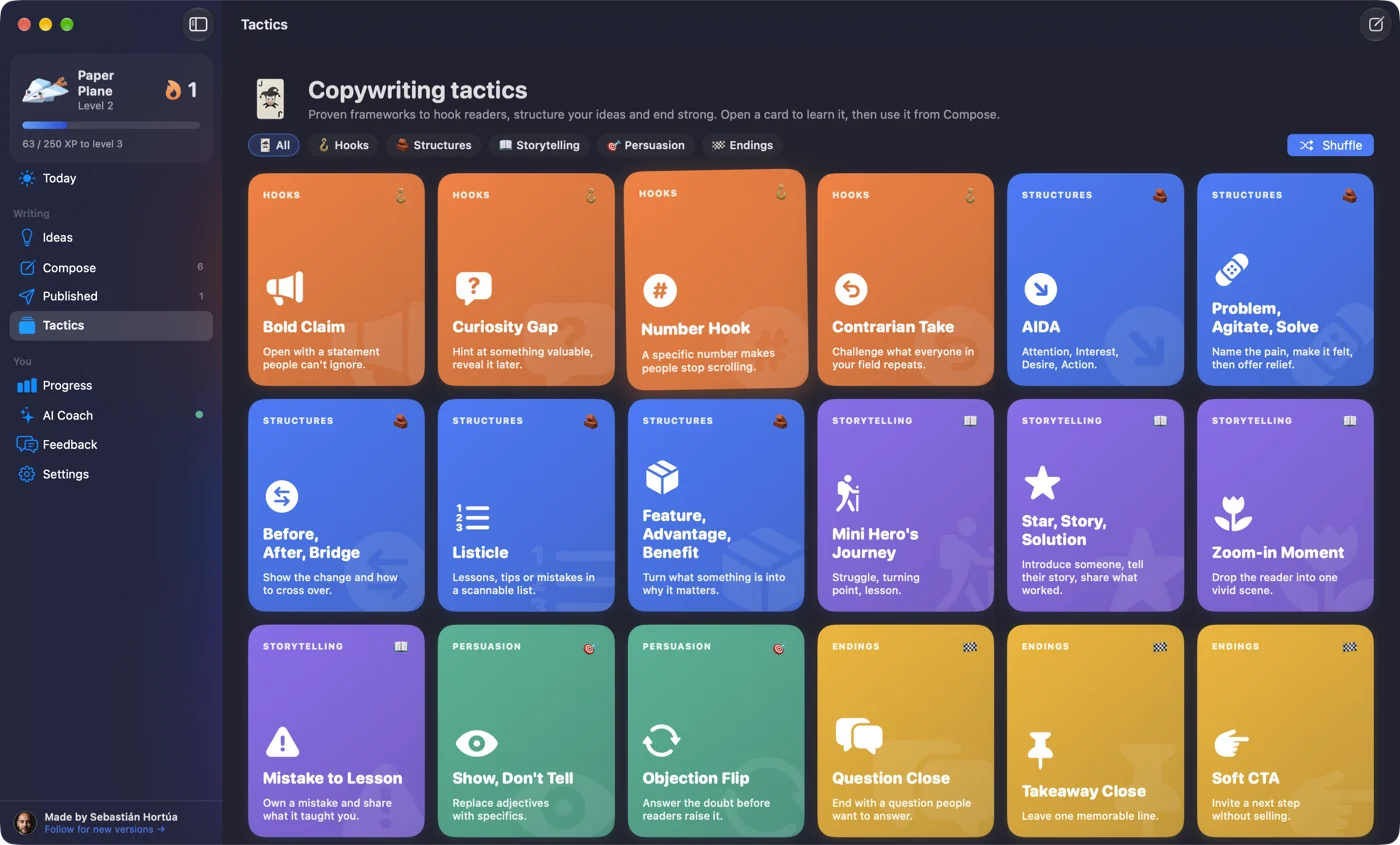
Never start from a blank page.
18 tactic cards for hooks, stories and closers, plus a fresh prompt every morning. Pick one, follow the steps and the post starts writing itself.
- Hooks, structures, storytelling, persuasion, endings
- Capture ideas from anywhere with ⌃⌥I
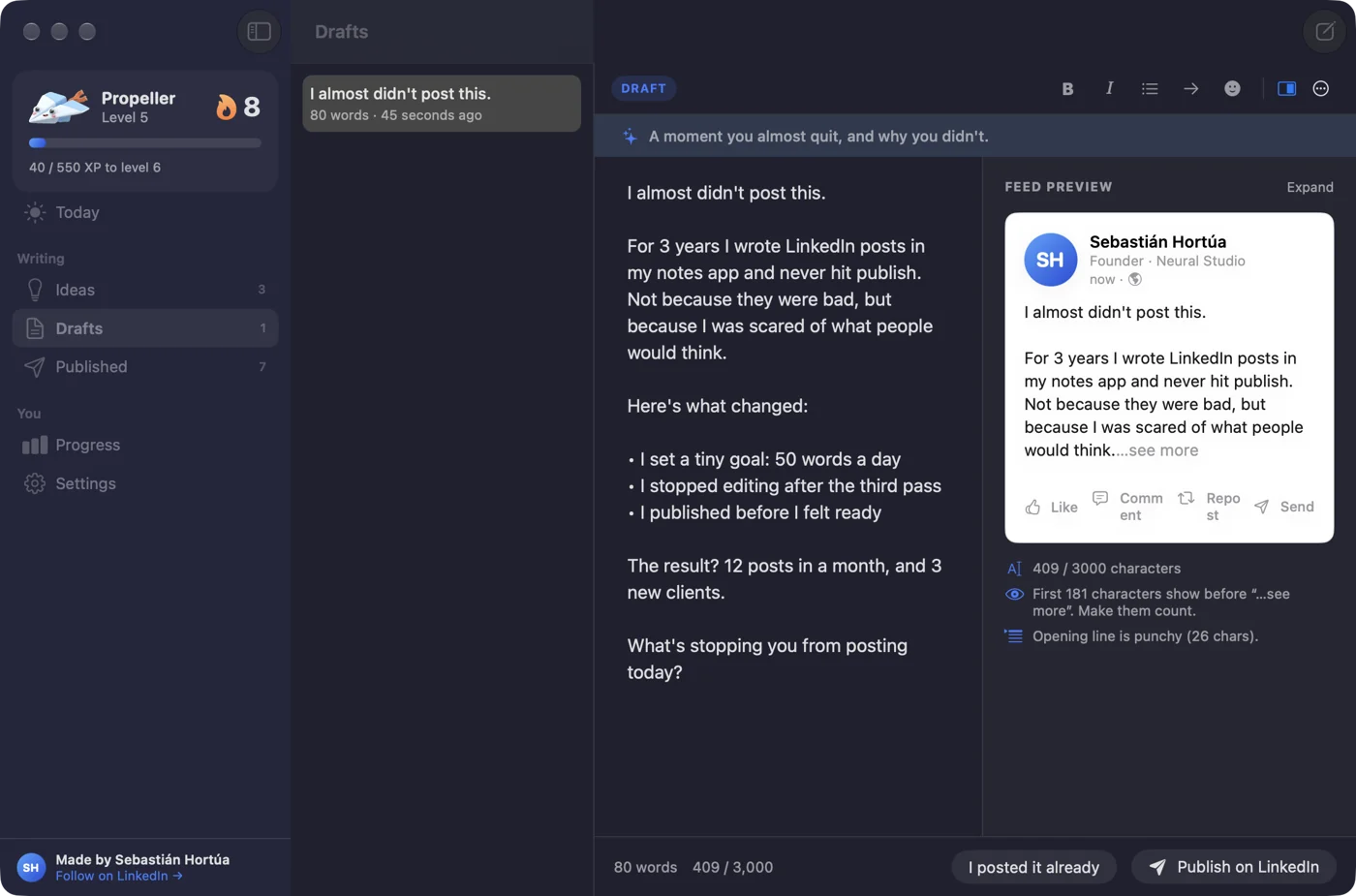
See your post the way the feed will.
Write in a calm editor with a live LinkedIn preview that shows exactly where "…see more" cuts your text, so your first lines do the heavy lifting.
- Bold and italic that survive on LinkedIn
- Full-screen focus mode with calm music
- Your P.S. signature added when you publish
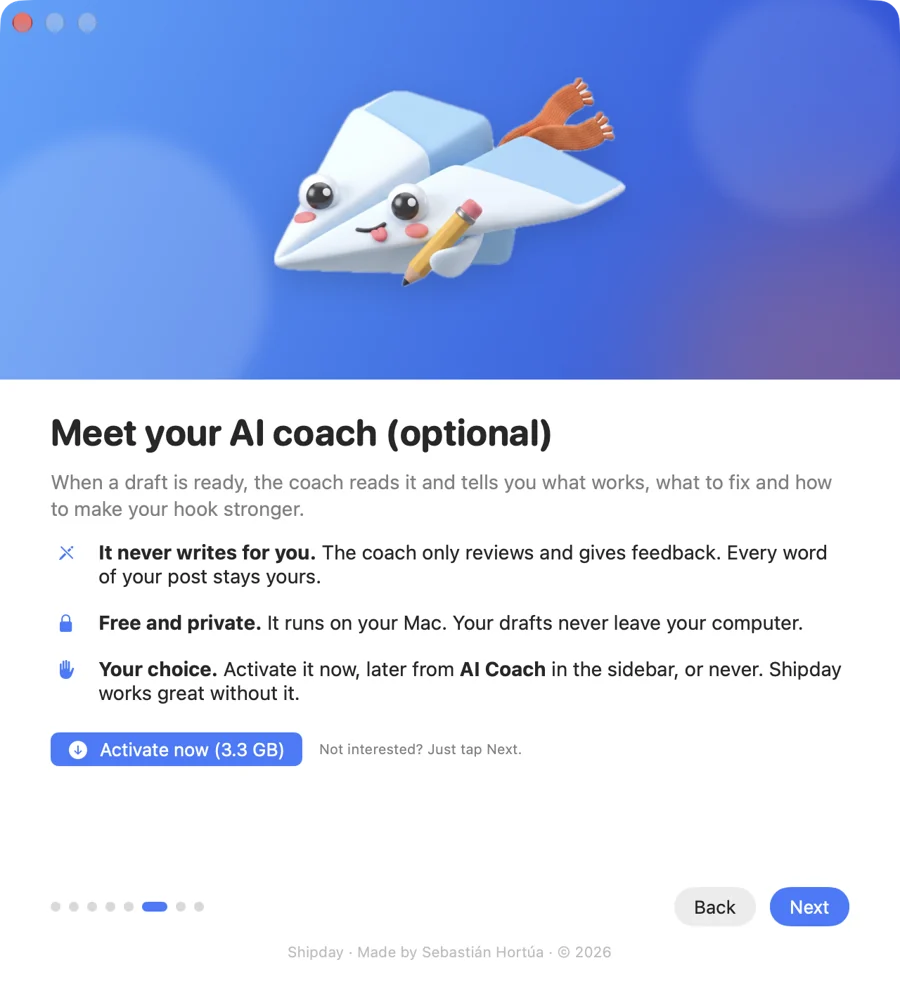
A coach that never writes for you.
When a draft is ready, a private AI coach scores your hook, clarity and call to action and tells you what to fix. Every word stays yours.
- Runs on your Mac, your drafts never leave it
- Optional, free, and you can switch it on anytime
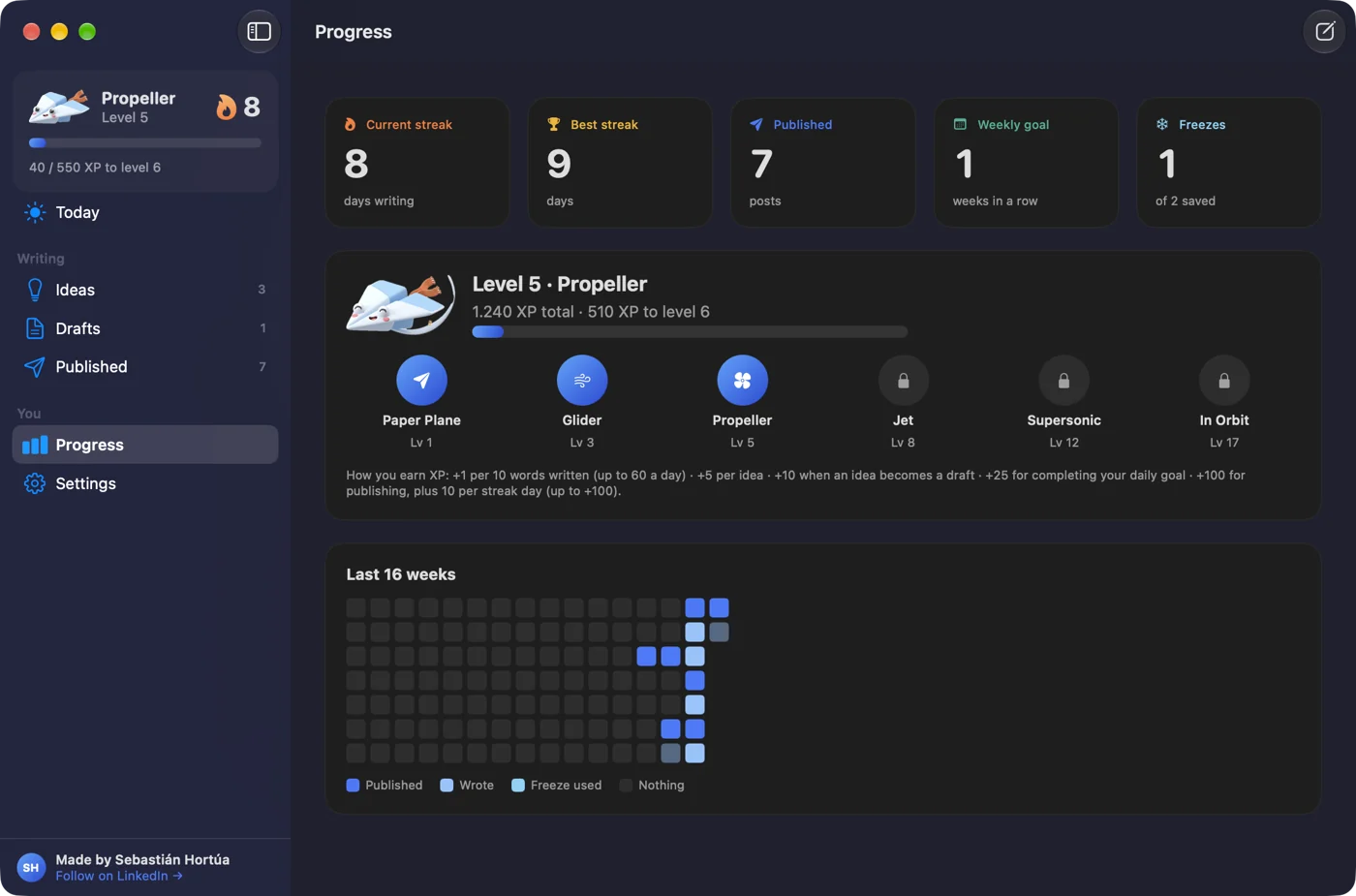
Watch the streak grow.
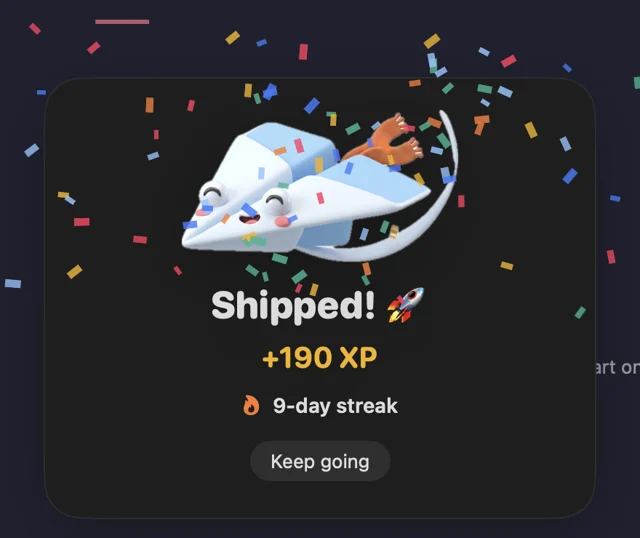
Earn XP, climb from Paper Plane to In Orbit, and keep a freeze for the days life happens. And every time you ship, the plane throws you a little party.
- Streaks, levels and a 16-week activity map
- A floating plane reminds you until today's post is out


The maker
Built by someone who kept quitting, too.
Hi, I'm Sebastián. I spent 17 years in marketing, retail and banking in Colombia, then moved to Vancouver and started building apps in public.
The hardest part wasn't building. It was showing up on LinkedIn every day. Some days I had nothing to say, other days I wrote a draft and never posted it. So I built the tool I needed to stay consistent, and I'm giving it away for free.
Your boarding pass is free.
Drop your email and the download link lands in your inbox.
 Shipday · Boarding passFlight SH-001

Mac only (macOS 14+). Free. Unsubscribe anytime.
Flight plan
- Drop your emailFive seconds, free.
- Open the welcome emailThe download link is inside.
- Ship your first postStart your streak today.
Questions
Before you board.
Is Shipday really free?
Yes. No trial, no credit card and no account. You get the download link by email and it's yours.
Why do I need to give my email?
The download link comes in the welcome email, and after that you'll get occasional notes on building, writing and showing up consistently. You can unsubscribe with one click whenever you want.
Which Macs does it run on?
Any Mac running macOS 14 (Sonoma) or newer. There's no Windows or iPhone version yet.
Does the AI write my posts?
No. The coach only gives feedback on your hook, clarity and call to action. Every word you publish is yours.
Where do my drafts go?
Nowhere. Drafts stay on your Mac, and the optional AI coach runs locally too, so nothing is sent to the cloud.